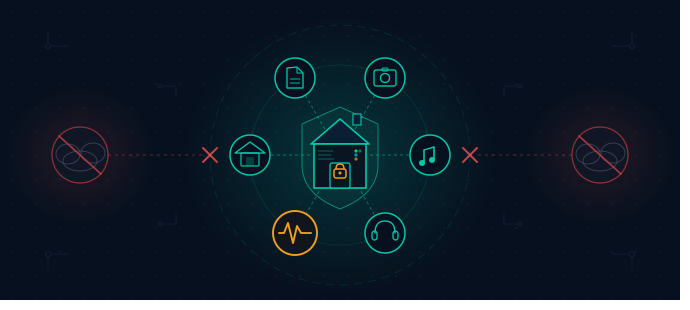
There’s a moment every person who runs their own server remembers: the first time a service you depend on goes down, changes its pricing or simply decides to terminate its activity. For me, it wasn’t a single dramatic incident, it was a slow accumulation of small frustrations: a photo app recommending I upgrade storage, a music streaming service raising its price again, a recipe app going behind a paywall. Until one day I opened a terminal and decided I was done renting my own digital life.
In this post I will show some of the apps that run quietly on my server every single day, describing what I actually gained that no price comparison can fully capture.
Note
The real value of selfhosting isn’t just saving money. It’s knowing that your data sits in your home, on your drives, under your control.
The Stack
AdGuard Home
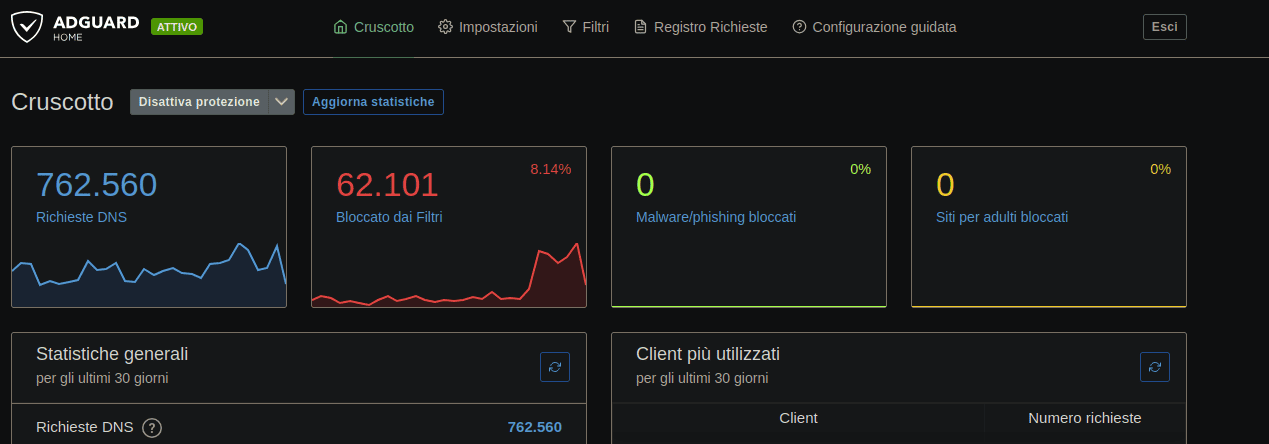
AdGuard Home is a network-based solution for blocking ads and trackers.
Running my own DNS resolver was the first domino. I immediately noticed how much quieter the internet felt: pages loading faster with no ad network calls and the service logs full of blocked tracker domains I didn’t even know existed. It gave me network-wide ads and trackers blocking for every device at home: phones, TVs, smart appliances. No browser extensions needed. No exceptions.
Privacy gain: most DNS queries stay on your local network when the FQDN is already in cache. Zero telemetry leaves your home. It’s a bit harder to build a behavioral profile from your lookup history.
Navidrome
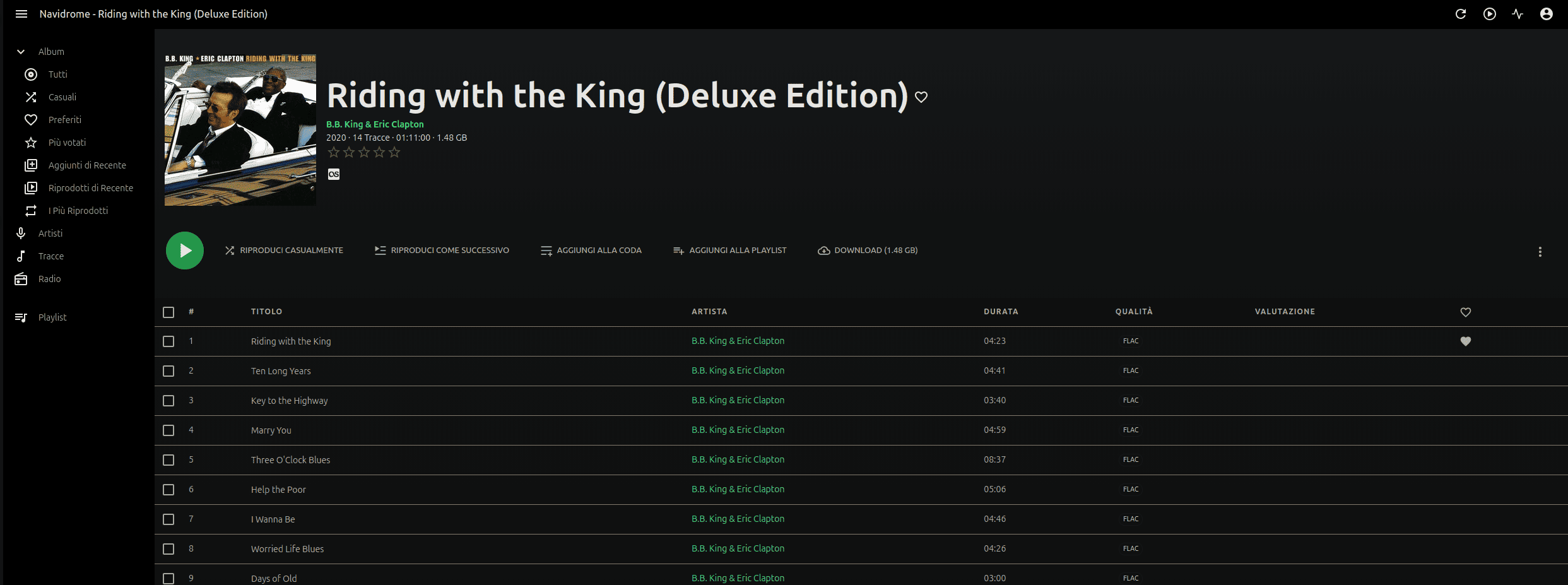
If I’m honest, Navidrome is the crown jewel of my stack. I spent years collecting music, ripping CDs, buying albums on eBay, renting them from friends and family members, hoarding FLAC files from artists who no longer exist online. That collection sat on an external hard drive, unused, while I paid monthly to stream music I used to own.
Navidrome changed that completely. It indexes your music library and exposes a Subsonic-compatible API, which means it works with dozens of polished clients. On Android, I use Symfonium and together they’re my alternative to Spotify in daily use, except the music is mine, the library never changes (if I don’t change it) and no one is tracking what I listen to - at what hour - to sell that data to advertisers.
There’s something deeply satisfying about playing an album you bought fifteen years ago and knowing it will still be there fifteen years from now, regardless of what Spotify decides to license, remove or raise in price.
Privacy gain: Your listening habits are nobody’s business. No algorithm shapes your taste. No data broker knows your mood from your playlist. But I can also understand that for someone this is also a con, not only a pro.
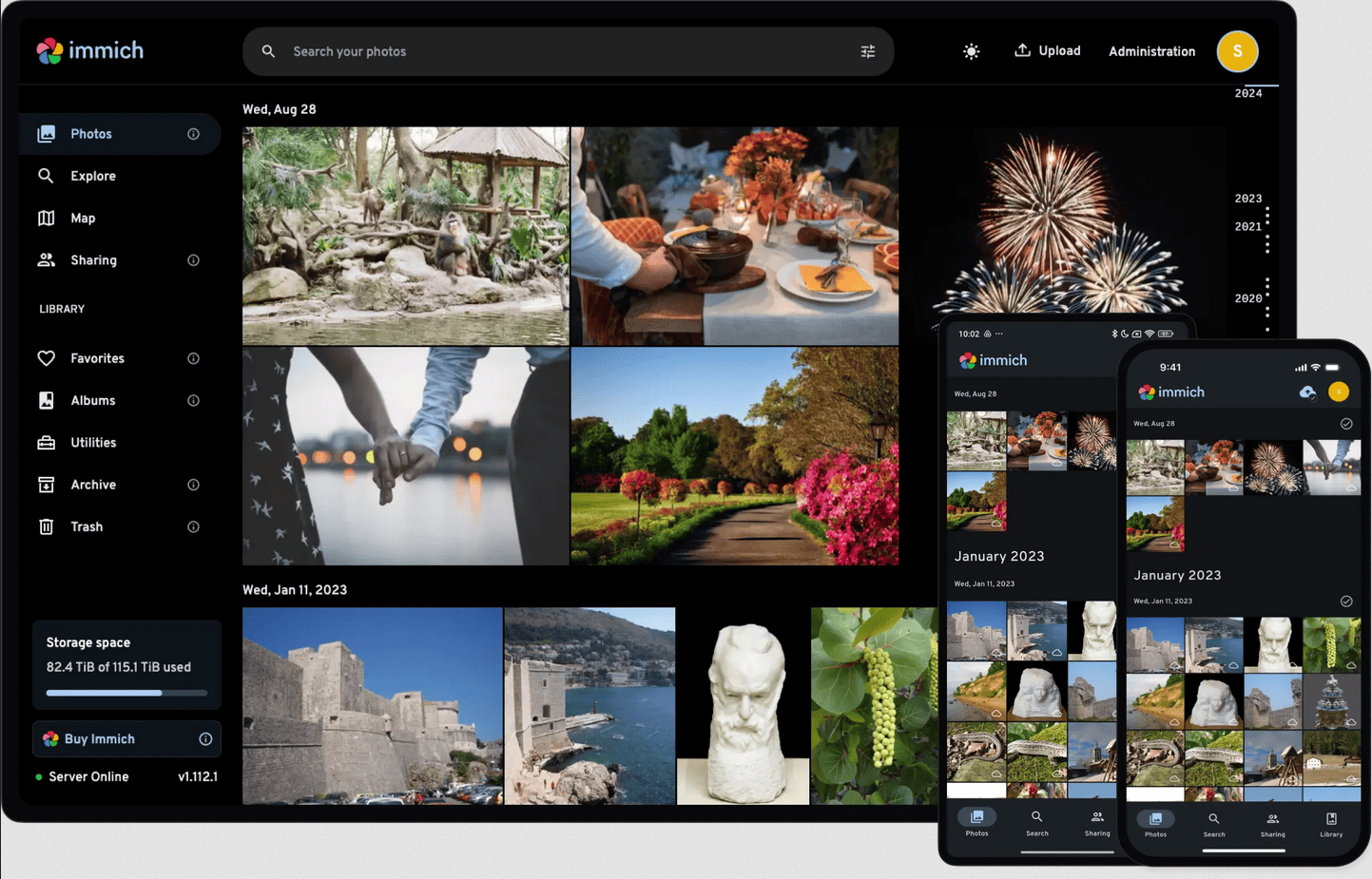
Immich
Photographs are perhaps the most intimate data we generate. They contain faces of our children, GPS coordinates of where we went, timestamps of every significant moment in our lives. Handing all of that to Google Photos, which explicitly uses this data to improve its models and feed its business in various ways, always felt like a trade I was making without fully reading the terms.
I used PhotoPrism for years before Immich was released and the improvement has been dramatic. It was created to looks like GPhoto - so the switch it’s easy - and it offer face recognition, OCR on text within photos, history location explorable using an interactive map, mobile backup, shared albums and so much more without any paywall. Immich has everything I could ask for and the team ships improvements at a pace that genuinely impresses me. Every release adds something meaningful. It’s always great to see an open-source project with this level of momentum and polish.
My photos now live on my server. They are backed up by my backup strategy, not Google’s. And no model is being trained on my nephews’ first steps.
Privacy gain: Facial recognition data, GPS metadata and the full timeline of your life stays on hardware you own. No training datasets, no behavioral inference, no third-party access.
Nextcloud AIO
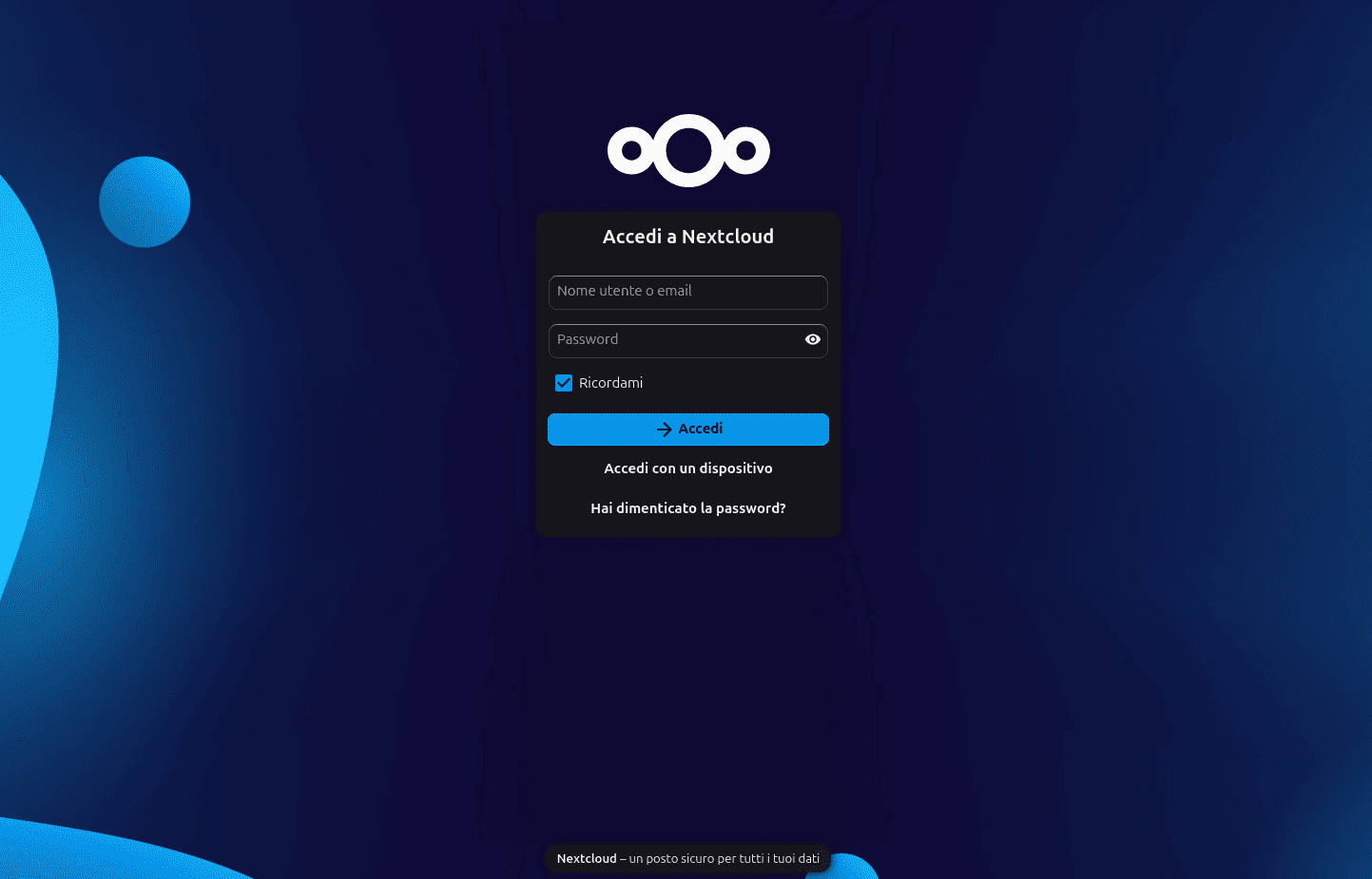
I have to be honest here: Nextcloud and I had a rocky start. Standard version was finnicky to deploy properly, updates broke things almost every time and performance left something to be desired. I almost gave up. Then I discovered Nextcloud AIO - the All-in-One Docker deployment - and everything changed. I haven’t had a single issue since making the switch and it has been running without incident for years now.
Nextcloud is my personal digital archive. Tax documents, contracts, bills, notes, everything I actually care about lives here. And with Collabora Office integrated I can open, edit and collaborate on documents directly in the browser without ever leaving my own infrastructure. It’s a private Google Workspace and I find myself reaching for it constantly.
Privacy gain: Your most sensitive documents, financial records, personal correspondence, legal files, never touch a cloud provider’s servers and don’t need to be exposed on internet, if you use a VPN/tailscale. It gives you full end-to-end control over your data.
Mealie
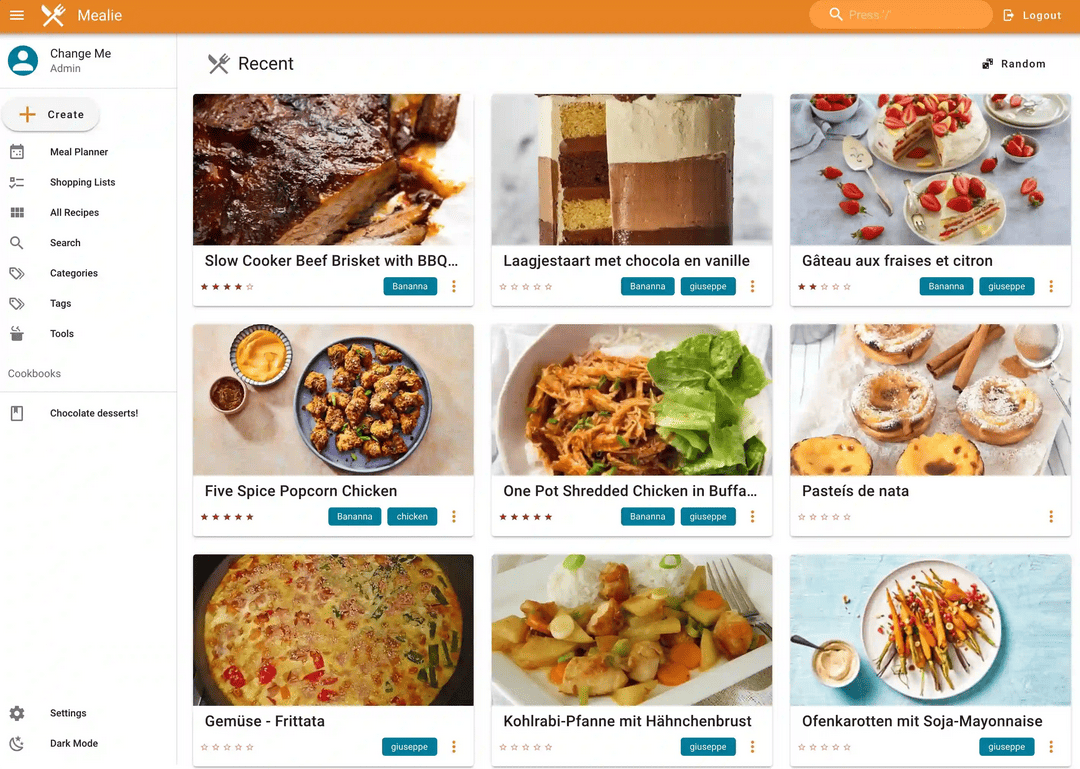
Mealie might seem trivial compared to the others, but in practice it’s one of the most-used apps in my household. Cooking is something I really love and over the years I’ve built a library of recipes: dishes I’ve refined, adapted from different sources or copied from my mum’s recipes book. Before Mealie, those lived scattered across browser bookmarks, screenshots and notes apps that could disappear at any moment.
Now there’s one place. One beautifully organized place where every recipe I love lives permanently, annotated with my own notes, scaled to however many servings I need and completely mine. No recipe website will ever put it behind a paywall. No app will delete it when they pivot to a subscription model.
Audiobookshelf
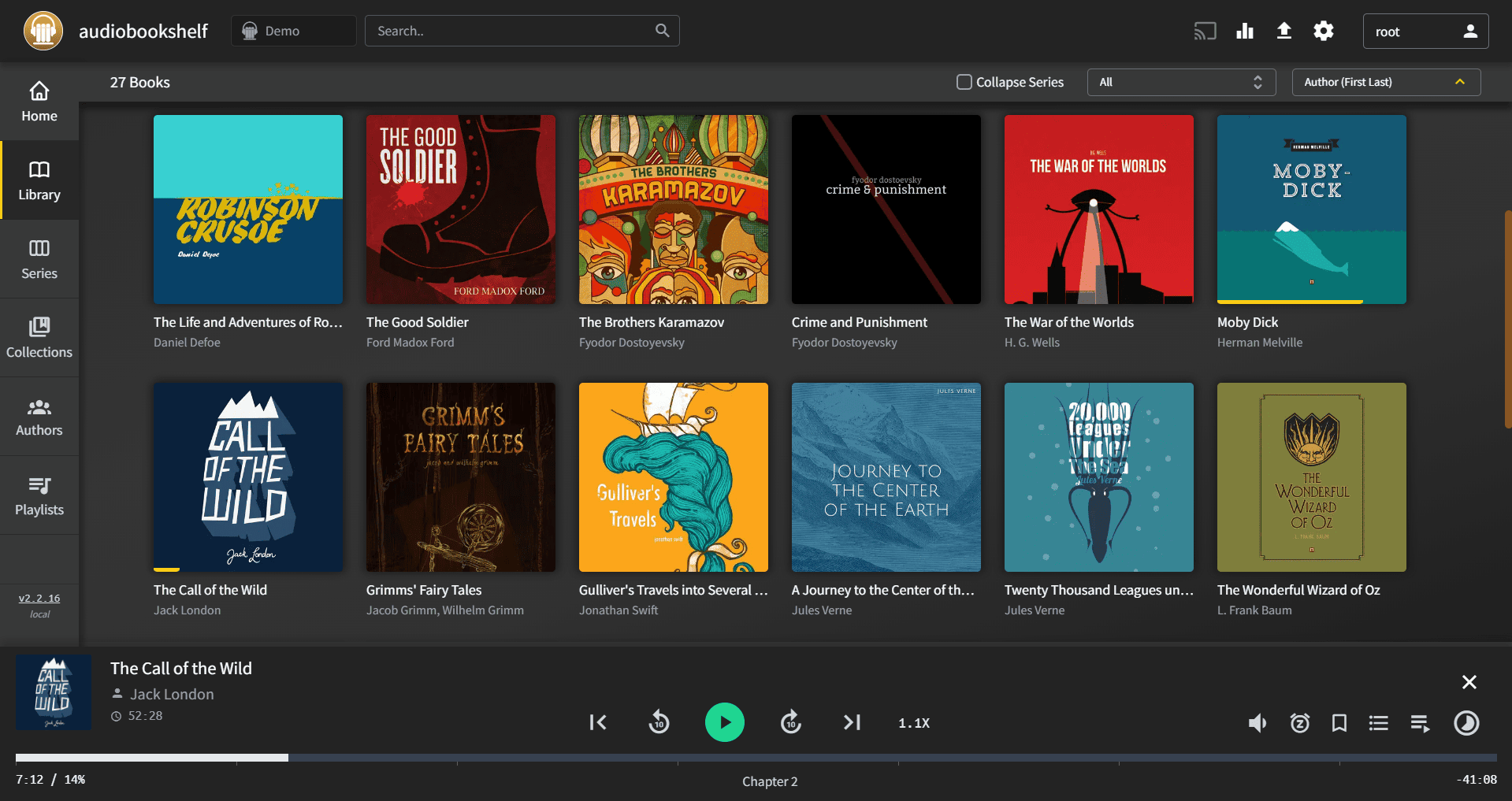
I spend a lot of time at the gym and podcasts are my constant companion through it. Linux Unplugged, Destination Linux and several others make up my rotation. With Audiobookshelf, I host my own podcast subscriptions and audiobook library, keeping my listening history to myself, without any platform knowing exactly which episodes I listen to, at what speed, and when I pause.
It also means my podcast library is stable. Episodes I care about get archived locally. They won’t disappear if a show gets de-platformed, if an app discontinues RSS support or if a platform decides to monetise listening habits more aggressively.
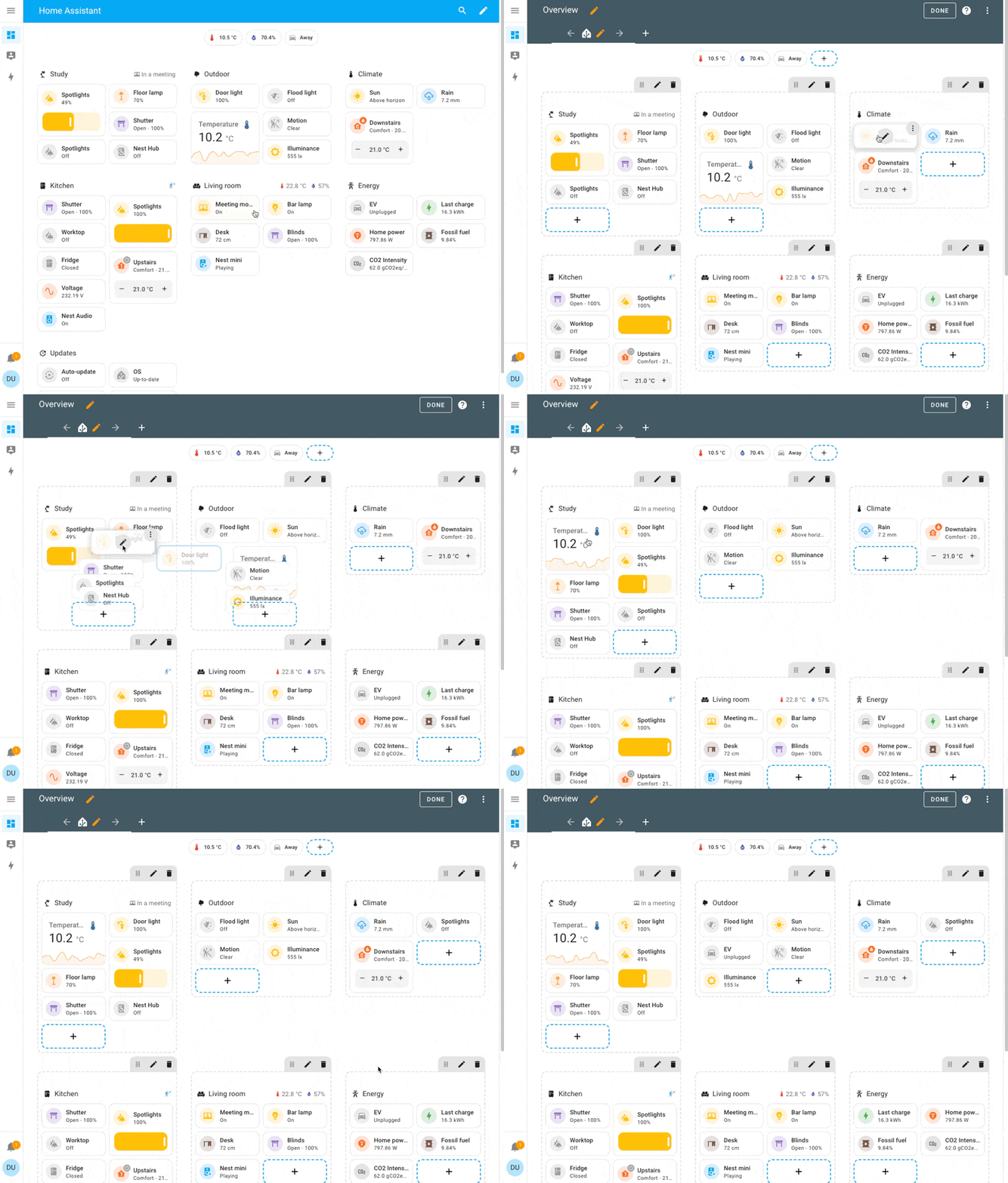
Home Assistant
Smart home devices are surveillance devices by another name. Every time you ask a cloud-connected bulb to turn off, that command travels to a server in another country, gets logged, associated with your account and stored indefinitely. Your home’s routine - when you wake up, when you leave, when you go to sleep - is data. It is also worth remembering that companies producing IoT devices can close down at any moment, making the devices expensive and useless objects placed all around your house.
Home Assistant changed this entirely for me. All my smart devices communicate between them over my local network, using HA as central communication hub. Nothing leaves my home (and the firewall blocks any attempt to communicate with the outside). I monitor my energy usage in real time, control automations and manage every connected device. The internet can go down completely without affecting a single light switch. That’s not just privacy, it’s resilience.
Privacy gain: Your home’s behavioral patterns - sleep schedules, occupancy, energy habits - never reach a third-party server. Smart home becomes truly local.
Kiwix
Kiwix is the quiet librarian of my stack. I keep an offline archive of Wikipedia, the entire iFixit repair guide catalogue, Go and Python language documentation - all readable without an internet connection. It sounds like an edge case until you actually need it: during a network outage or when traveling in an area with poor connectivity. I decided to start using it because in my hometown it sometimes happened that the landline and mobile phone lines did not work even for days.
Calibre-Web Automated
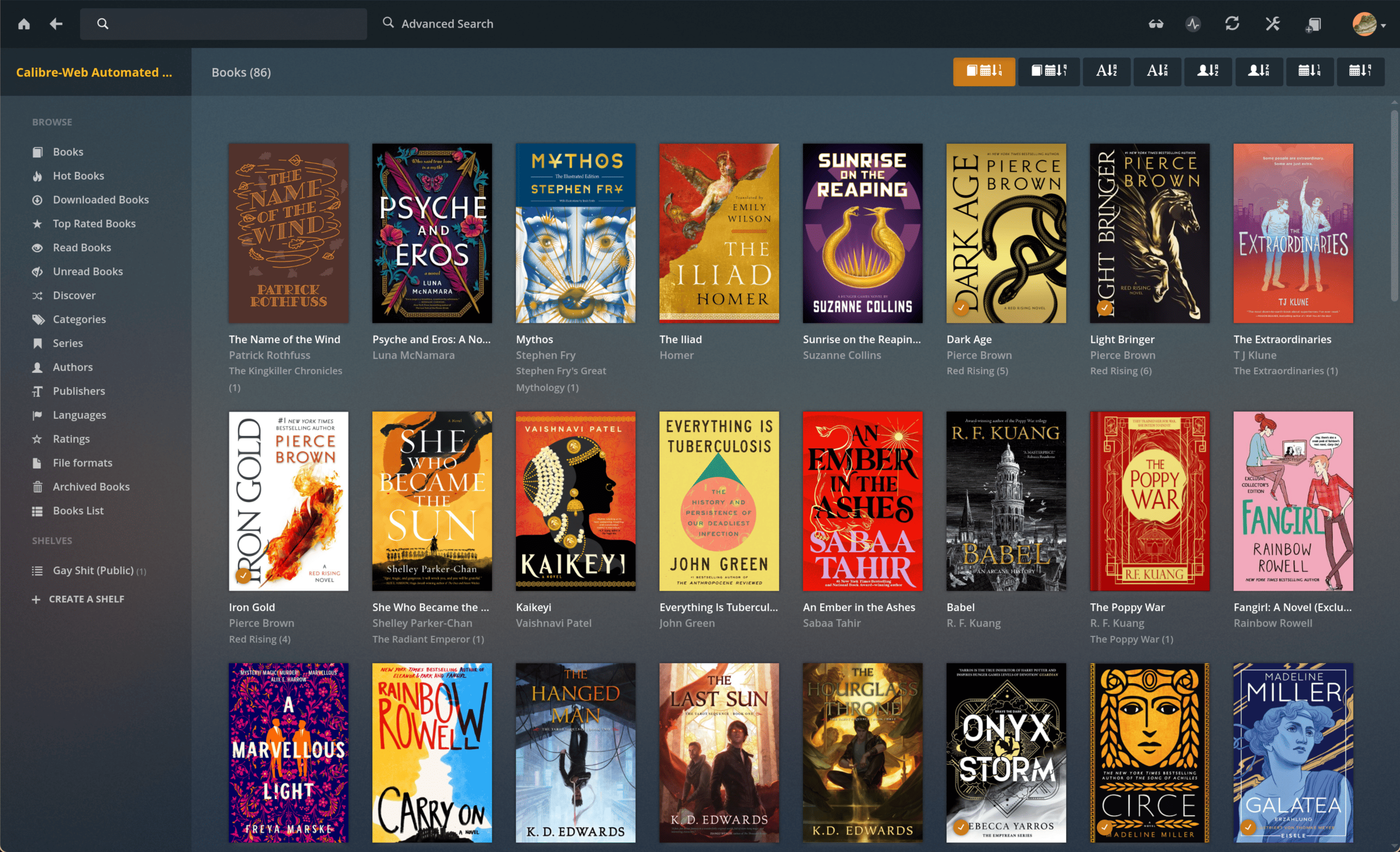
Amazon knows every book you’ve read, how long it took you, which passages you highlighted, and where you stopped reading. It also decide which books you can access and for how long it could be read. It happened in the past that Amazon removed purchased books from user libraries too.
Calibre-Web Automated turns your ebook collection into a private, self-hosted library. You own the files, you manage the library and reading a book doesn’t generate a behavioral profile.
BentoPDF
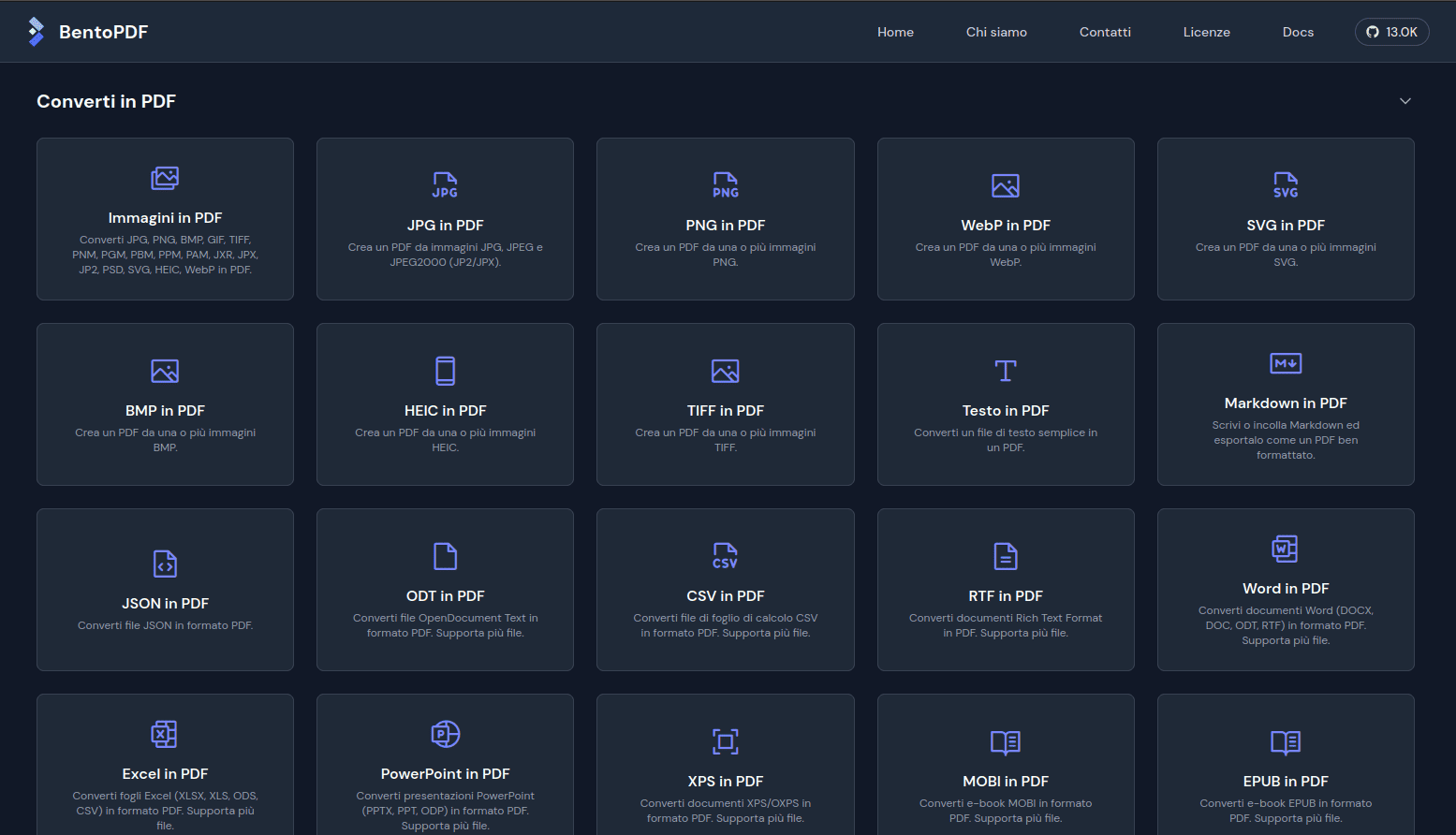
Every time you upload a PDF to an online tool, you’re sending that document to someone else’s server. Contract? Tax return? Medical report? Online PDF tools process hundreds of millions of sensitive documents a year, with wildly varying privacy policies. BentoPDF handles everything locally - merging, splitting, compressing, converting - and the document never leaves my network.
Privacy gain: Sensitive documents processed by online tools are often retained for analytics or sold to third parties. Local PDF processing means zero document exposure.
Vaultwarden
A password manager is arguably the most sensitive piece of software you run. It holds the keys to every account you own: banking, email, health portals, everything. Handing that vault to a third-party cloud service means trusting them and their infrastructure, their employees, their breach history and their business decisions. When LastPass suffered its breaches in the last years, millions of encrypted vaults ended up in unknown hands.
Vaultwarden is a lightweight, self-hosted implementation of the Bitwarden server. The official Bitwarden clients - browser extensions, mobile apps, desktop - connect to it seamlessly, so there’s no compromise on user experience. The difference is that the vault lives on my server, encrypted, under my control and behind a VPN.
I decide where it’s backed up, who can access the instance and when it gets updated.
There is something quietly absurd about storing the credentials to your entire digital life on someone else’s machine, even if the database it’s encrypted. Running Vaultwarden fixed that.
Privacy gain: Your credential database, TOTP secrets and secure notes never touch an external server. A breach at a cloud password manager cannot expose what was never stored there.
Nightscout - owning my health data
You won’t find this one in most selfhosting articles. I’m mentioning it precisely because of that.
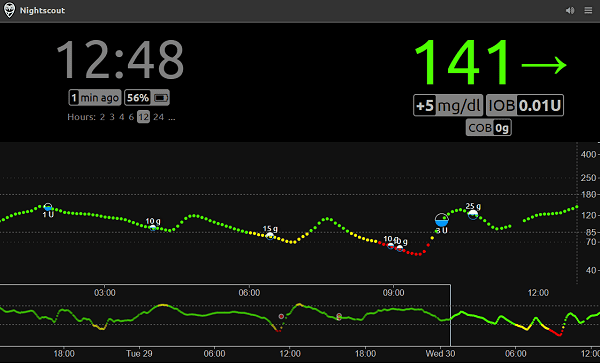
I’m a Type 1 Diabetic. I wear a Continuous Glucose Monitor, a sensor that reads my blood sugar every five minutes, around the clock, every day of my life. That data is extraordinarily intimate. It reveals stress patterns, sleep quality, what and when I eat, how I respond to illness and dozens of other physiological signals. The companies that make CGM devices have cloud platforms where this data is stored, and their terms of service typically allow them to use anonymised data for research and for business decisions.
Nightscout changed this for me completely. It acts as my personal CGM data repository: I see my glucose graph in real time from any browser, I can create glicemic reports, I can share it with my doctor and no company has access to my blood sugar data unless I explicitly give it to them. My health data is mine. I decide who sees it and what it’s used for.
This is the most important privacy win on this list. Health data is the most sensitive category of personal information that exists. Selfhosting Nightscout means a corporation cannot train a model on your metabolic patterns, cannot make pricing decisions based on your condition and cannot sell your physiological data to insurance or pharmaceutical companies.
The utility of Nightscout to me dwarfs every other app on this list. It is not an exaggeration to say that running it has changed how I manage my condition day to day. And the fact that it runs on my server, under my control, is not a convenience: it’s a deeply personal act of data sovereignty.
What No Spreadsheet Can Capture
Almost every app in this list has a paid equivalent and that makes the cost comparison easy (and this list is far from being an exhaustive list of apps I ran on my server). I could go on to make a spreadsheet with the costs of each individual app, calculating how much money I save per year by hosting my services on my own infrastructure, but some things don’t fit in a table.
When I stream music from Navidrome, I’m not generating a listening profile for an advertising network and I’m using my own music library, I’m not renting someone else library. When I upload photos to Immich, I’m not contributing to a facial recognition training dataset. When Nightscout archive my glucose sensor data, my metabolic data stays on my hardware - not in a database somewhere where I don’t have any control on, associated with my insurance policy or sold to a pharma company.
We are assisting to the erosion of digital privacy and sovereignty: services that used to be free becoming paid, platforms that used to be neutral becoming surveillance infrastructure, personal data becoming the raw material of an entire industry. Selfhosting is one answer to that erosion. An imperfect, technical, time-consuming answer. But a real one.
My server runs 24/7 in a corner of my home, quietly. It doesn’t send anything to anyone I don’t want to. And every time I open one of these apps I get a small, irrational - but entirely genuine - satisfaction from knowing that the data it serves belongs entirely to me.
If you are running something similar, I’d love to hear what’s in your stack, especially anything unusual that most people don’t think to selfhost. Reach me out on LinkedIn